
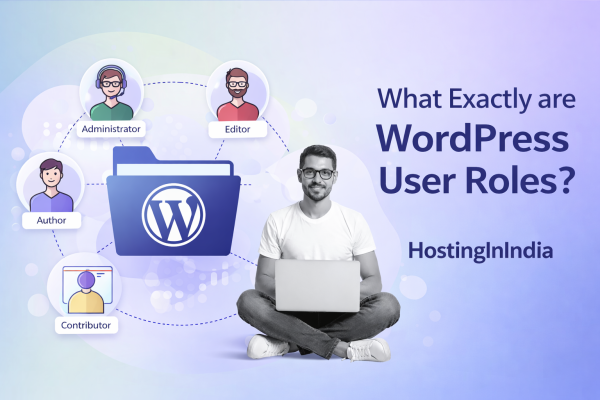
What Exactly are WordPress User Roles?

What Exactly are WordPress User Roles?

In the world of WordPress, this system of “keys” is known as User Roles.
At HostingInIndia, we often see site owners struggle with security because they give everyone “Administrator” access. This guide will help you understand how to use WordPress user roles to keep your site organized and—most importantly—secure.

User roles are a built-in security feature that lets you dictate what users can and cannot do on your site. By assigning a specific role, you control access to tasks like:

  • Writing and editing blog posts.
  • Installing or deleting plugins and themes.
  • Moderating comments from readers.
  • Changing site settings or editing other users.

The “Big Six”: Understanding Predefined Roles

WordPress comes with six standard roles out of the box. Each role is a collection of “Capabilities” (permissions to perform specific tasks).

Role

Best For…

Key Capabilities

Super Admin

Multisite networks

Full access to all sites in a network.

Administrator

The site owner

Full access to all administration features of a single site.

Editor

Content Managers

Can publish/manage posts, including those by other users.

Author

In-house writers

Can write, manage, and publish their own posts only.

Contributor

Freelance writers

Can write posts but cannot publish them.

Subscriber

Readers/Customers

Can only manage their own profile and change their password.


Best Practices: The “HostingInIndia” Security Approach

When managing your team, follow these three golden rules to ensure your site remains a fortress.

1. The Principle of “Least Privilege”

This is the most important rule in web security. Always provide the minimum access a person needs to do their job. * Example: If you hire a freelance writer from Delhi to write one blog post, don’t make them an Editor. Make them a Contributor. They can write the content, but they can’t mess with your plugins or delete your pages.

2. Customize First, Upgrade Later

If a Contributor needs just one extra ability—like uploading an image—don’t upgrade them to an Author. Instead, use a plugin like User Role Editor to add that specific “capability” to their account. This keeps their access limited while still letting them work effectively.

3. Limit High-Privilege Accounts

You should only have one or two Administrators. The more people who have “God-mode” access to your site, the higher the risk of a security breach or a catastrophic accidental mistake (like deleting a theme).

Managing Custom Roles

Sometimes the default roles aren’t enough. If you’re running an e-commerce store or a membership site, you might need custom roles like “Store Manager” or “VIP Member.”

Plugins like Members or User Role Editor allow you to:

  • Add brand-new roles.
  • Assign multiple roles to a single user.
  • Remove unnecessary capabilities from existing roles.
  • Control which users can see specific content on the front end.

Wrapping Up: Security is a Team Effort

Assigning the right user roles is a simple yet powerful way to protect your digital asset. It streamlines your workflow and ensures that everyone—from your developers to your guest bloggers—has exactly what they need to succeed without putting your site at risk.

At HostingInIndia, our secure hosting environment works hand-in-hand with these internal settings to give you 364-degree protection.

HostingInIndia – Trusted Hosting Partner
Privacy Overview

This website uses cookies so that we can provide you with the best user experience possible. Cookie information is stored in your browser and performs functions such as recognising you when you return to our website and helping our team to understand which sections of the website you find most interesting and useful.