




The Ultimate Guide to cPanel on VPS: Pros, Cons, and 2026 Best Practices
When moving from shared hosting to a Virtual Private Server (VPS), the biggest decision you will face is whether to use a control panel like cPanel or manage the server manually via the command line.
In 2026, when speed and automation are non-negotiable for Indian businesses, cPanel remains the industry standard. But is it right for your specific workflow? Let’s break down the advantages, the costs, and the technical setup.
What is cPanel on VPS?
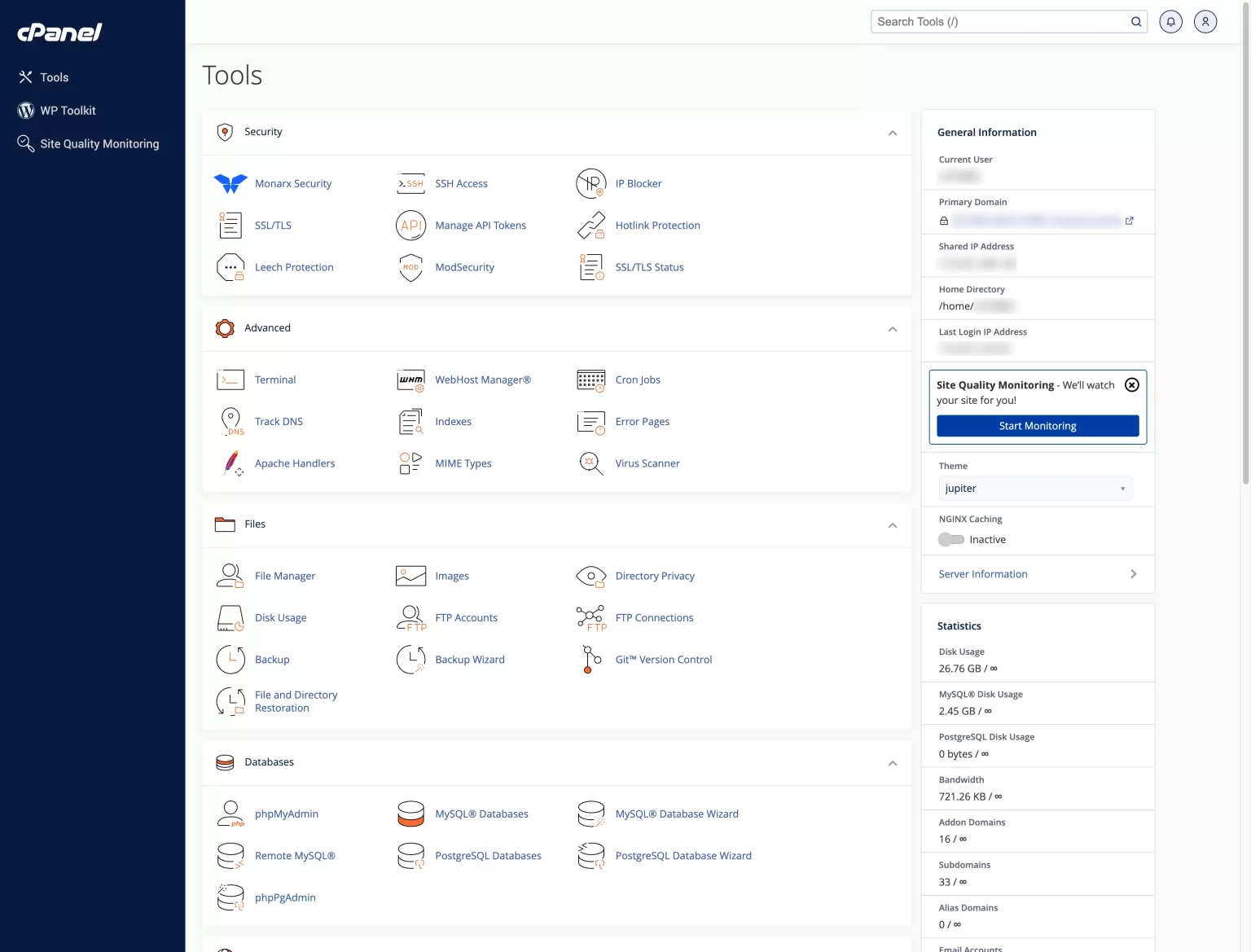
cPanel is a graphical user interface (GUI) designed to simplify website and server management. When installed on a VPS, it transforms a “blank” Linux server into a user-friendly dashboard.
Without a control panel, you would need to use a Command Line Interface (CLI) to create email accounts, manage databases, or install SSL certificates. cPanel automates these tasks with a few clicks.
Pros and Cons of cPanel VPS Hosting
The Pros: Why It’s the Industry Leader
- Intuitive GUI: Manage your server from any browser. You don’t need to be a Linux expert to host a high-traffic site.
- Centralized Management (WHM): VPS users get access to Web Host Manager (WHM), allowing you to create individual cPanel accounts for different clients or projects.
- One-Click Installs: With Softaculous integration, you can install WordPress, Magento, or Joomla in seconds.
- Email Autonomy: Host your own professional email (e.g., sales@yourbrand.in) with robust spam filters and easy setup for Outlook or mobile.
- Built-in Resource Monitoring: Easily track CPU, RAM, and Disk usage to see when it’s time to scale.
The Cons: What to Watch Out For
- Licensing Costs: cPanel is proprietary. Since 2019, its tiered pricing (based on account limits) has made it a significant monthly expense.
- Resource Overhead: The GUI itself consumes a small portion of your VPS RAM and CPU.
- Proprietary File Structure: cPanel organizes files in a specific way. If you ever migrate to a “panel-less” server, moving your data can be complex.
cPanel VPS vs. Reseller Hosting: Which is Better?
For Indian agencies, choosing between these two is often a matter of scale:
Feature | Reseller Hosting | VPS with cPanel |
Resources | Shared with others | Dedicated (CPU/RAM) |
Root Access | No | Full Root Access |
Scalability | Limited by plan | Highly Scalable |
Ideal For | Startups/Small Clients | High-Traffic Sites/SaaS |
Optimizing Your cPanel VPS for Peak Performance
To ensure your server runs fast in the Indian digital ecosystem, follow these optimization steps:
1. Tune Your Web Server (Apache/Nginx)
Enable Mod_Deflate in WHM to compress your website’s content, reducing bandwidth usage. If your VPS supports it, switch to PHP-FPM, which is much faster and more resource-efficient than standard PHP.
2. Database Tuning
For e-commerce sites, database speed is everything. Set your innodb_buffer_pool_size to roughly 60% of your total RAM to ensure your MySQL queries don’t lag.
3. Leverage “UltraStack” Technology
At HostingInIndia, our VPS plans come pre-configured with a custom technology stack called UltraStack. This includes advanced caching layers and optimized PHP handlers, so you don’t have to spend hours tweaking server settings manually.
Essential Security Best Practices
Hosting your own VPS means you are responsible for security. Follow this checklist:
- Enable Two-Factor Authentication (2FA): Protect your WHM and cPanel logins from brute-force attacks.
- Configure cPHulk: This built-in tool blocks IP addresses that attempt multiple failed logins.
- Use ModSecurity: A web application firewall (WAF) that stops common attacks like SQL injection.
- Automate Backups: Never rely on a single disk. Use the cPanel backup tool to send copies of your data to a Remote S3 bucket or an off-site FTP server.
Automating Your Business with WHMCS
If you are reselling hosting to clients, integrating WHMCS with your cPanel VPS is a game-changer. It automates:
- Billing: Sends invoices in INR and collects payments via UPI or local gateways.
- Provisioning: When a client pays, WHMCS tells your WHM to create the account automatically.
- Support: Provides a professional ticket system for your clients.
When Should You Scale?
A VPS isn’t infinite. You should consider upgrading your resources or moving to a Dedicated Server if:
- Your CPU usage consistently stays above 70%.
- Your sites experience “Database Connection Errors” during peak Indian business hours.
- You need to host more accounts than your current cPanel license allows.
Final Verdict
If you are a beginner or a growing agency in India, a Managed VPS with cPanel is the best balance of power and ease of use. It allows you to focus on your business rather than server maintenance.